Battery health & wear
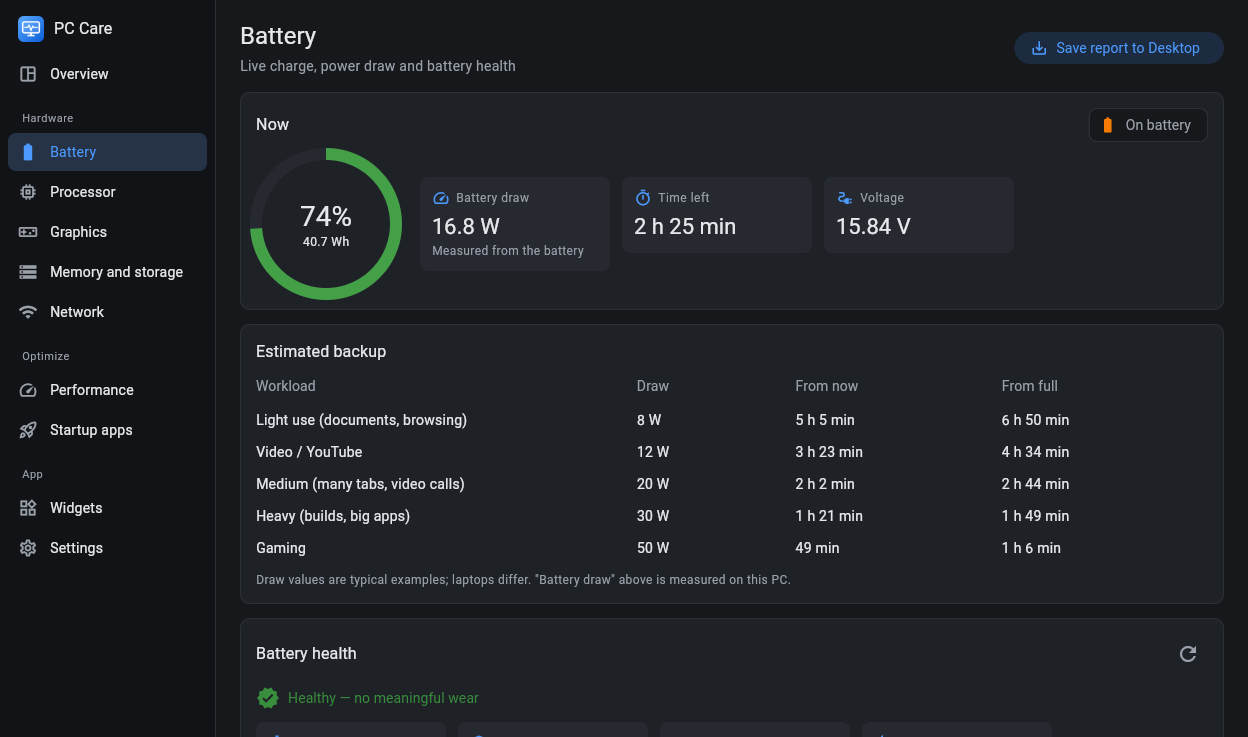
Full-charge capacity against the design and your own baseline, wear history, cycle count, warranty days and a calibration helper.
PC Care shows your laptop's battery health and wear, CPU temperature, FPS, graphics and the whole PC's power use, and keeps them on your desktop and taskbar.
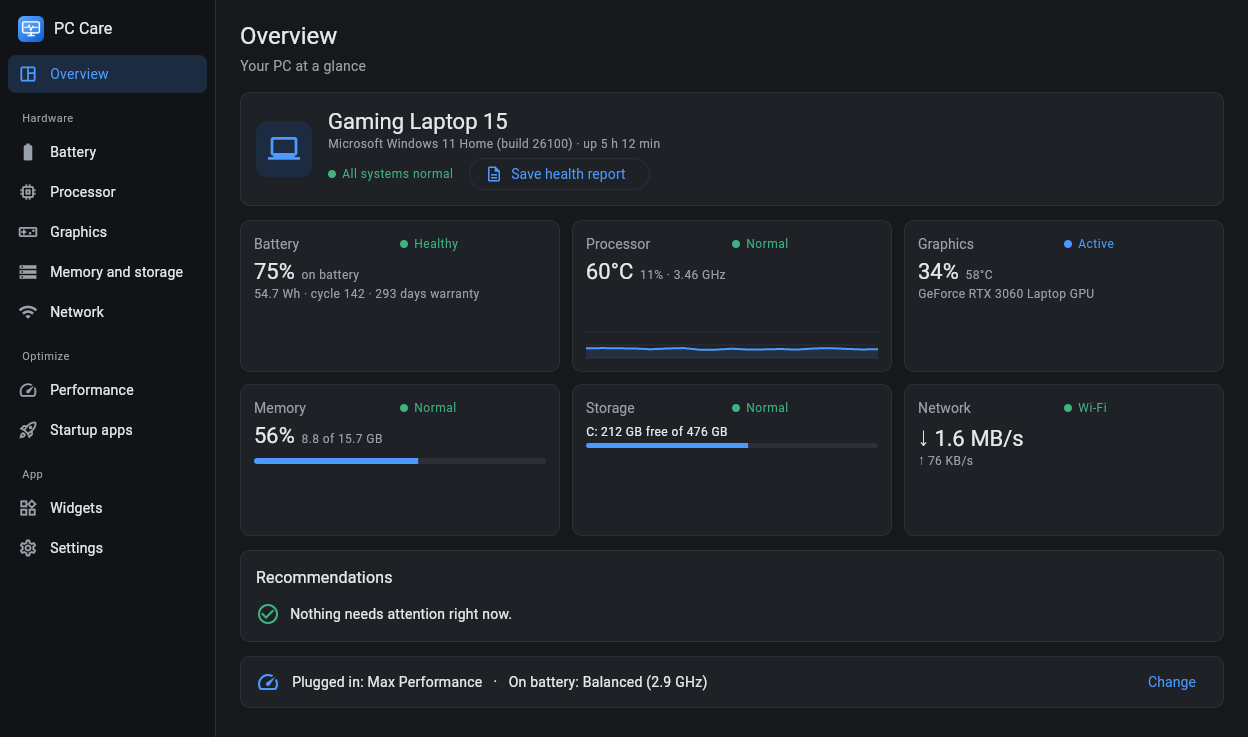
No more opening five tools to find out why the laptop is hot, how worn the battery is or what is draining it. PC Care reads it all from Windows and explains it in plain words.
Full-charge capacity against the design and your own baseline, wear history, cycle count, warranty days and a calibration helper.
Watts measured from the battery, time left, how long it lasts from full, and which apps used it since you unplugged.
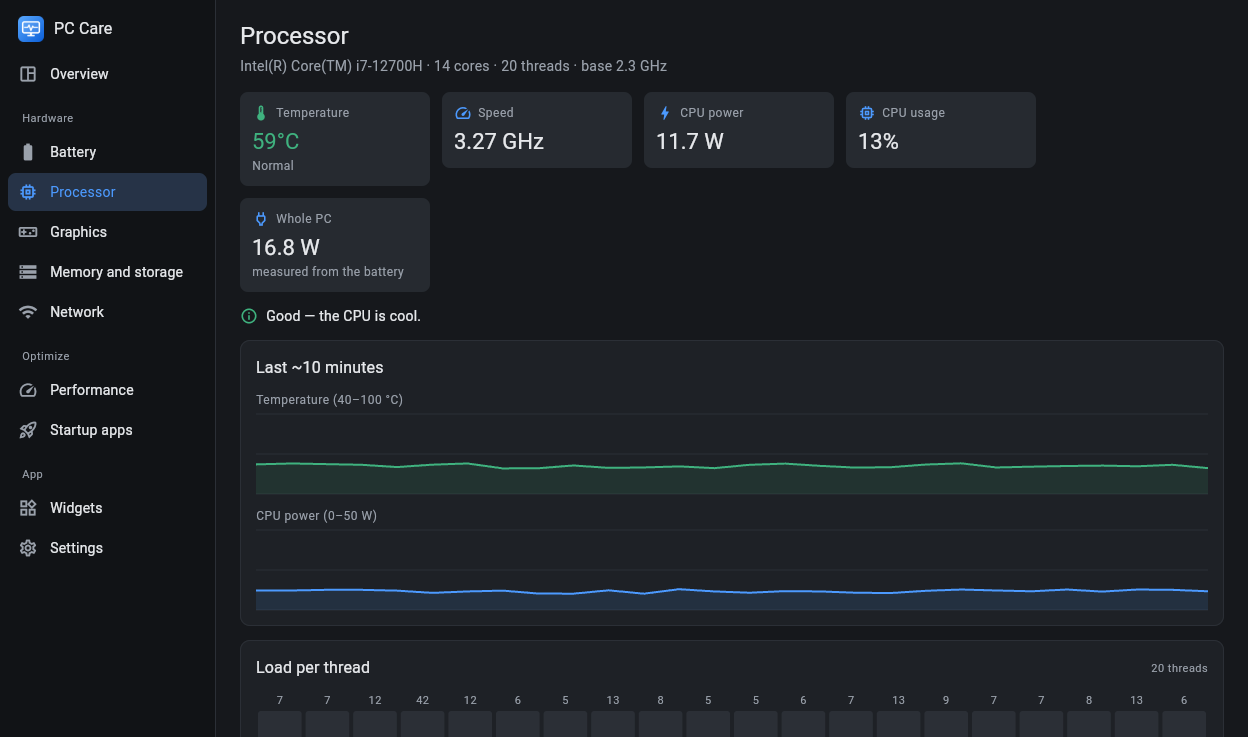
Temperature, GHz, CPU power and the load of every thread, with a 10-minute graph and a CPU test with a cooling score.
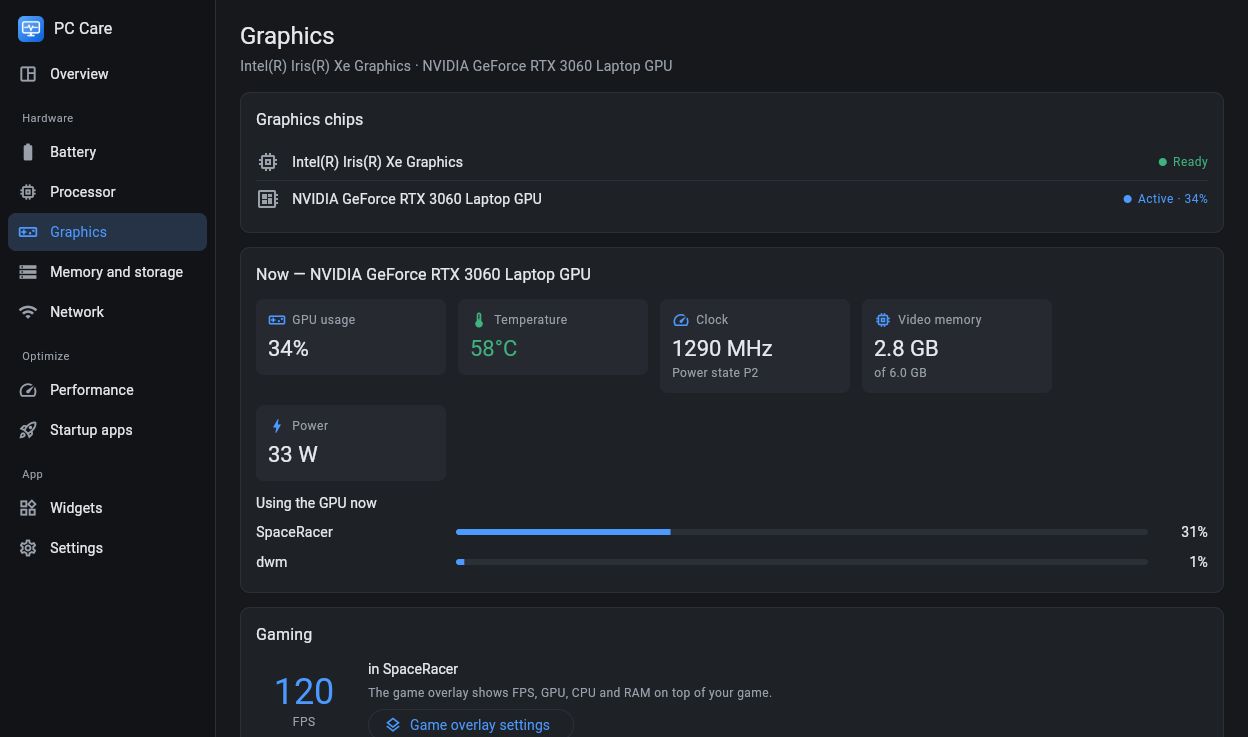
FPS of the game in front, GPU usage, video memory, NVIDIA temperature, clock and power, game reports and a click-through overlay.
How many watts the PC uses: measured from the battery on a laptop, and estimated from the CPU, graphics card and parts on a desktop.
Battery, heat, network speed, RAM and power on a card or tiles, and a slim bar on the taskbar that hides during full-screen games.
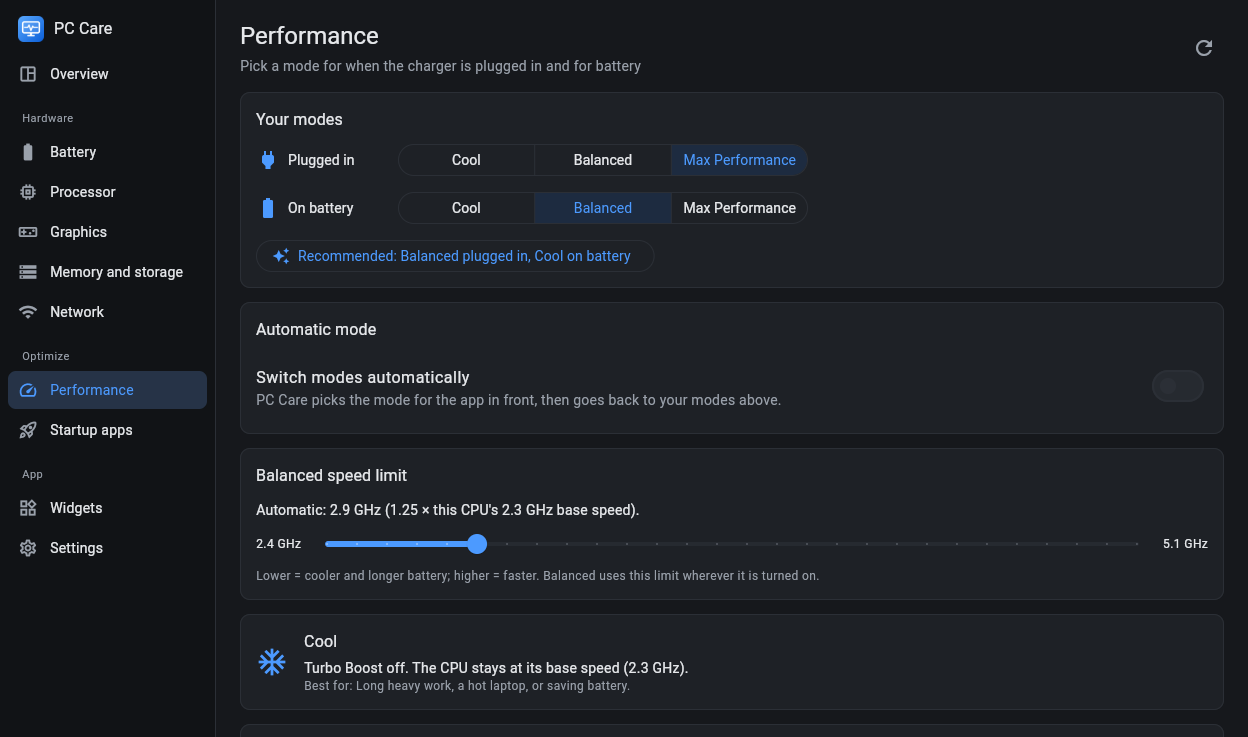
Cool, Balanced or Max Performance, separately for plugged in and on battery, worked out from your own CPU. Automatic mode per app.
Turn startup apps and scheduled tasks on or off, see boot times, free up memory and clear temporary files and caches.
Low battery, unplug at 80-100% and CPU overheating alerts, plus a one-page health report for a warranty claim or repair shop.
PC Care keeps running in the tray after you close its window, so the numbers stay where you can see them.
A clean app with a page for every part of your PC, in dark or light.
No installer wizard and no administrator rights: PC Care is a folder you keep wherever you like.
Download the zip below and extract the PC Care folder, for example to your user folder.
Double-click Install PC Care.cmd. It adds PC Care to the Desktop and Start menu and starts it.
The widget, taskbar bar and tray icon appear. Turn on Start with Windows on the Widgets page.
Free for Windows 10 and 11. Version 1.0.0, released 11 November 2026.
Download PC-Care-1.0.0.zip (12.5 MB)SHA-256: bcf05e83c5715396959e52966c118c9de60dd9c4950167ca942eb3a857faa035
Yes. PC Care is free, with no ads and no account.
Windows 10 and Windows 11 (64-bit). The app window opens in Google Chrome or Microsoft Edge; Windows PowerShell 5.1, which every Windows has, does the rest.
Yes. The battery pages are for laptops; on a desktop PC you get CPU and graphics readings, an estimate of the whole PC's power use, the widget, the taskbar bar and everything else.
It compares the battery's full-charge capacity with its design capacity and with your own baseline from Windows' battery report, keeps a history so you see wear over months, and measures the real power draw from the battery.
No. Only the optional FPS counter asks once for a Windows permission (the same one Xbox Game Bar uses).
No. Everything is read and kept on your PC. Only the network speed test, when you start it, exchanges test data with speed.cloudflare.com.
Right-click the zip file, choose Properties, tick Unblock, press OK, then extract it again. Windows marks every downloaded file this way.
To update, extract the new version over your PC Care folder and run Install PC Care.cmd again; your settings stay. To uninstall, double-click Uninstall PC Care.cmd and type Y: it removes the shortcuts, settings and the folder.